
取MySQL数据到Unity
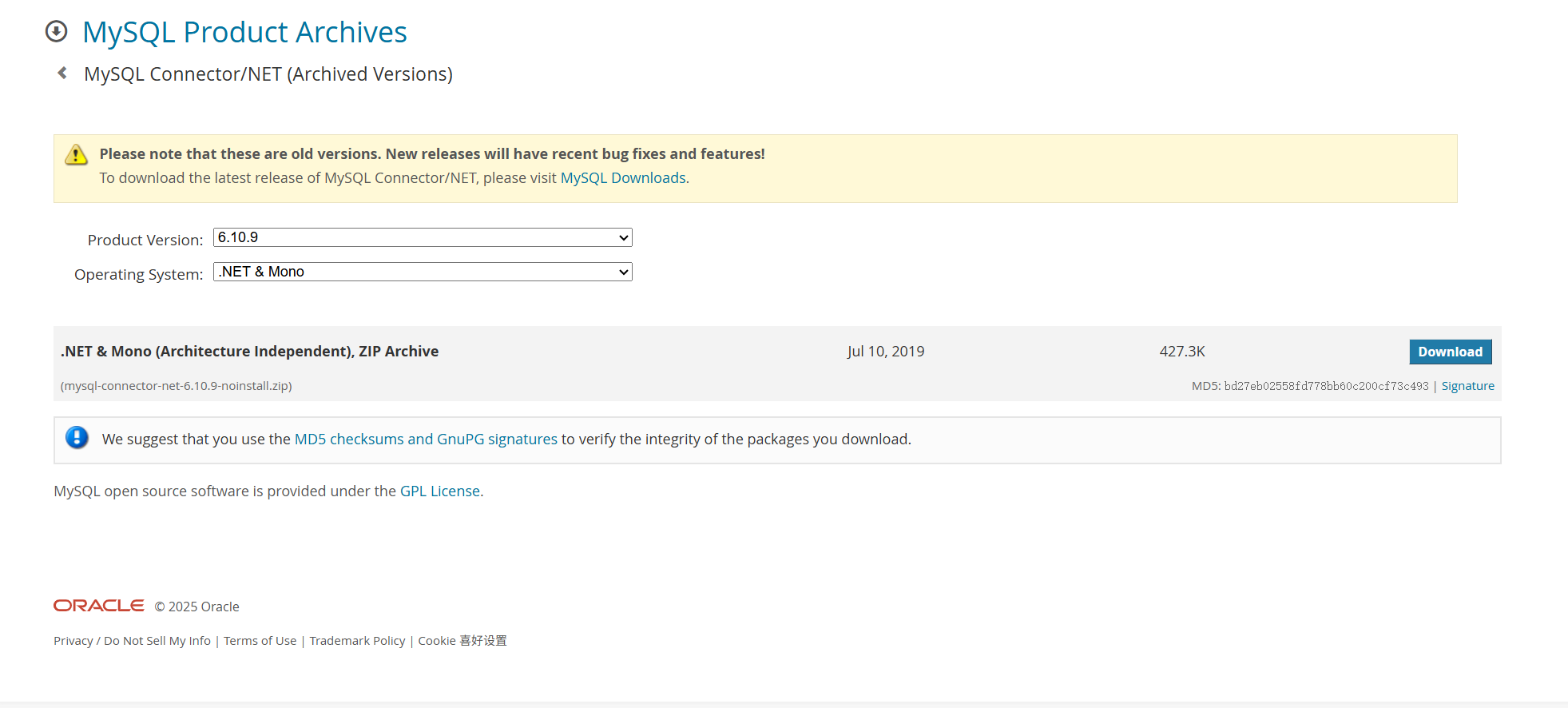
1.下载MySQL Connector
MySQL :: Download MySQL Connector/NET (Archived Versions)
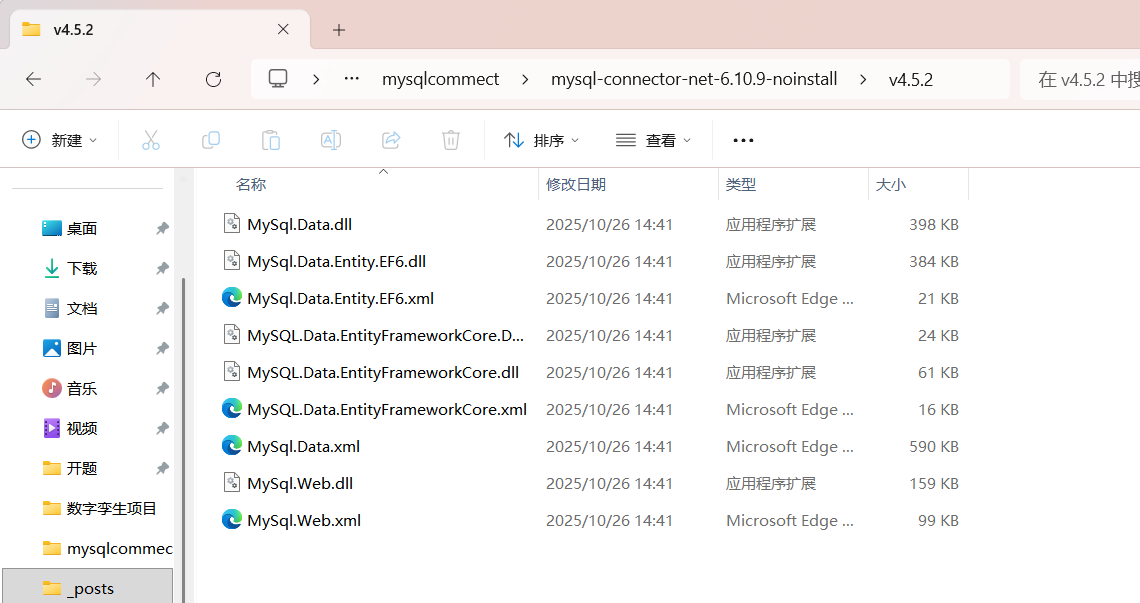
解压缩后找到v4.5.2文件夹,打开:
2.配置unity环境
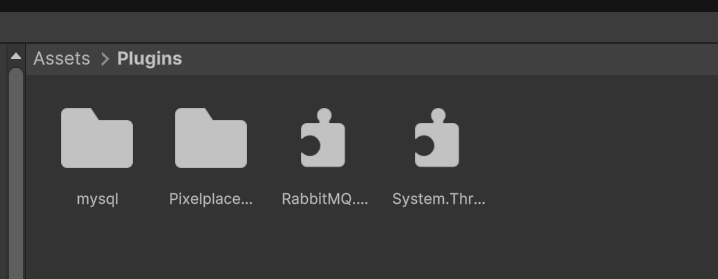
在Assets/Plugins下创建文件夹mysql:
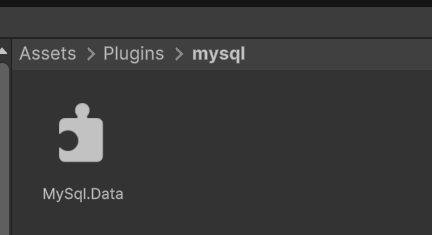
把刚才解压缩后v4.5.2文件夹内的文件MySql.Data.dll拖入mysql文件夹
3.编写脚本获取数据
测试脚本:
(1)纯数据类DevicefromDB,支持序列化
using UnityEngine;  // 为Serializable
using MySql.Data.MySqlClient;  // 为MySqlDataReader
using System;

[System.Serializable]  // 支持Unity序列化
public class DevicefromDB  // 不继承MonoBehaviour!
{
    public string device_id;
    public string device_name;
    public string device_type;
    public string device_parameter;
    public string device_supplier;
    public string device_status;
    public string device_serviceLife;
    public string device_productionDate;
    public string device_inventory;
    public string device_commissioningTime;
    public string start_time;
    public string area_id;
    public string area_name;

    // 从Reader填充的构造函数
    public DevicefromDB(MySqlDataReader reader)
    {
        device_id = reader["device_id"]?.ToString() ?? "";
        device_name = reader["device_name"]?.ToString() ?? "";
        device_type = reader["device_type"]?.ToString() ?? "";
        device_parameter = reader["device_parameter"]?.ToString() ?? "";
        device_supplier = reader["device_supplier"]?.ToString() ?? "";
        device_status = reader["device_status"]?.ToString() ?? "";
        device_serviceLife = reader["device_serviceLife"]?.ToString() ?? "";
        device_productionDate = reader["device_productionDate"]?.ToString() ?? "";
        device_inventory = reader["device_inventory"]?.ToString() ?? "";
        device_commissioningTime = reader["device_commissioningTime"]?.ToString() ?? "";
        start_time = reader["start_time"]?.ToString() ?? "";
        area_id = reader["area_id"]?.ToString() ?? "";
        area_name = reader["area_name"]?.ToString() ?? "";
    }

    // 默认构造函数
    public DevicefromDB() { }

    // ToString:便于Debug
    public override string ToString()
    {
        return $"[ID:{device_id}, Name:{device_name}, Type:{device_type}, Parameter:{device_parameter}, Supplier:{device_supplier},Status:{device_status},ServiceLife:{device_serviceLife},Inventory:{device_inventory}]";
    }
}
(2)数据获取与缓存更新DeviceDataCache
using MySql.Data.MySqlClient;
using UnityEngine;
using System;
using System.Collections.Generic;
using System.Collections;

public class DeviceDataCache : MonoBehaviour
{
    public static DeviceDataCache Instance { get; private set; }

    [Header("数据库设置")]
    public string server = "localhost";
    public string userid = "root";
    public string password = "yourpass";
    public string database = "your_db";
    public string port = "3306";

    [Header("缓存设置")]
    [Tooltip("如果需要手动启用定时更新,可设为>0")]
    public float updateInterval = 0f;  // 更新间隔(秒),设0禁用定时更新
    private Dictionary<string, DevicefromDB> cache = new Dictionary<string, DevicefromDB>();
    private DateTime lastUpdateTime = DateTime.MinValue;
    public bool isUpdating = false;

    void Awake()
    {
        if (Instance == null)
        {
            Instance = this;
            DontDestroyOnLoad(gameObject);
            if (updateInterval > 0f)  // 只在>0时启动定时协程
            {
                StartCoroutine(UpdateCacheRoutine());
            }
        }
        else
        {
            Destroy(gameObject);
        }
    }

    private IEnumerator UpdateCacheRoutine()
    {
        while (true)
        {
            yield return new WaitForSeconds(updateInterval);
            if (!isUpdating && (DateTime.Now - lastUpdateTime).TotalSeconds >= updateInterval)
            {
                UpdateCache();
            }
        }
    }

    public void UpdateCache()
    {
        if (isUpdating) return;
        isUpdating = true;
        StartCoroutine(FetchAllDataCoroutine());
    }

    private IEnumerator FetchAllDataCoroutine()
    {
        Debug.Log("开始更新缓存...");
        MySqlConnection connection = GetMysqlConnection();
        try
        {
            connection.Open();
            if (connection.Ping())
            {
                string query = "SELECT * FROM main_drum";
                using (MySqlCommand command = new MySqlCommand(query, connection))
                {
                    using (MySqlDataReader reader = command.ExecuteReader())
                    {
                        cache.Clear();
                        int rowCount = 0;
                        while (reader.Read())
                        {
                            DevicefromDB info = new DevicefromDB(reader);
                            cache[info.device_name] = info;
                            rowCount++;
                        }
                        lastUpdateTime = DateTime.Now;
                        Debug.Log($"缓存更新完成,共 {rowCount} 条设备数据");
                    }
                }
            }
            else
            {
                Debug.LogError("数据库Ping失败,无法更新缓存");
            }
        }
        catch (Exception e)
        {
            Debug.LogError("更新缓存失败: " + e.Message);
        }
        finally
        {
            connection?.Close();
            isUpdating = false;
        }
        yield return null;
    }

    public DevicefromDB GetDeviceInfo(string device_name)
    {
        if (string.IsNullOrEmpty(device_name)) return null;

        if (cache.TryGetValue(device_name, out DevicefromDB info))
        {
            Debug.Log($"从缓存获取设备 {device_name}: {info}");
            return info;
        }
        else
        {
            Debug.LogWarning($"缓存中无设备 {device_name},返回null(无更新逻辑)");
            return null;  // 直接返回null,不触发更新
        }
    }

    // 移除WaitAndRetry协程(不再需要)

    public List<DevicefromDB> GetAllDevices()
    {
        return new List<DevicefromDB>(cache.Values);
    }

    private MySqlConnection GetMysqlConnection()
    {
        string connStr = string.Format("server={0};user id={1};password={2};database={3};port={4};Pooling=false;",
                                       server, userid, password, database, port);
        return new MySqlConnection(connStr);
    }

    public void Start()
    {
        UpdateCache();  // 初始加载(启动时唯一更新)
    }
}
4.脚本挂载
挂载DeviceDataCache脚本到Main Camera
在inspector中配置数据库:
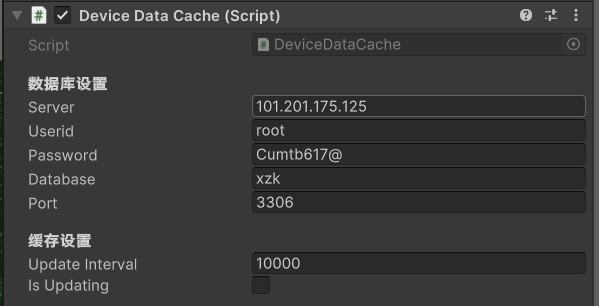
Update interval:数据缓存更新间隔
4.外部调用,取数据
调用方法:
        DevicefromDB info = DeviceDataCache.Instance.GetDeviceInfo("绞车");
        if (info == null)
        {
            // 等待更新
            info = DeviceDataCache.Instance.GetDeviceInfo("绞车");
        }
        if (info != null)
        {
            Debug.Log("设备1:" + info.device_name);
        }
        else
        {
            Debug.LogError("获取设备失败");
        }
控制台打印数据:
